
 Tiếng Việt
 )
)Blackmagic Camera APK brings professional video controls to Android phones and tablets. The app gives creators direct control over frame rate, shutter angle, ISO, white balance, and other recording settings through an interface inspired by Blackmagic digital film cameras. You can find more creative Android tools on APKMODY.
What Is Blackmagic Camera APK?
Blackmagic Camera is a professional video recording app developed by Blackmagic Design. It is designed for users who want more control than a standard smartphone camera usually provides.
The app puts important recording settings directly on the screen, making it easier to adjust exposure, frame rate, focus, audio, and color while filming.
Blackmagic Camera APK is especially useful for mobile filmmakers, YouTubers, videographers, and content creators who want a more flexible shooting workflow.
Blackmagic Camera App Features for Professional Filming
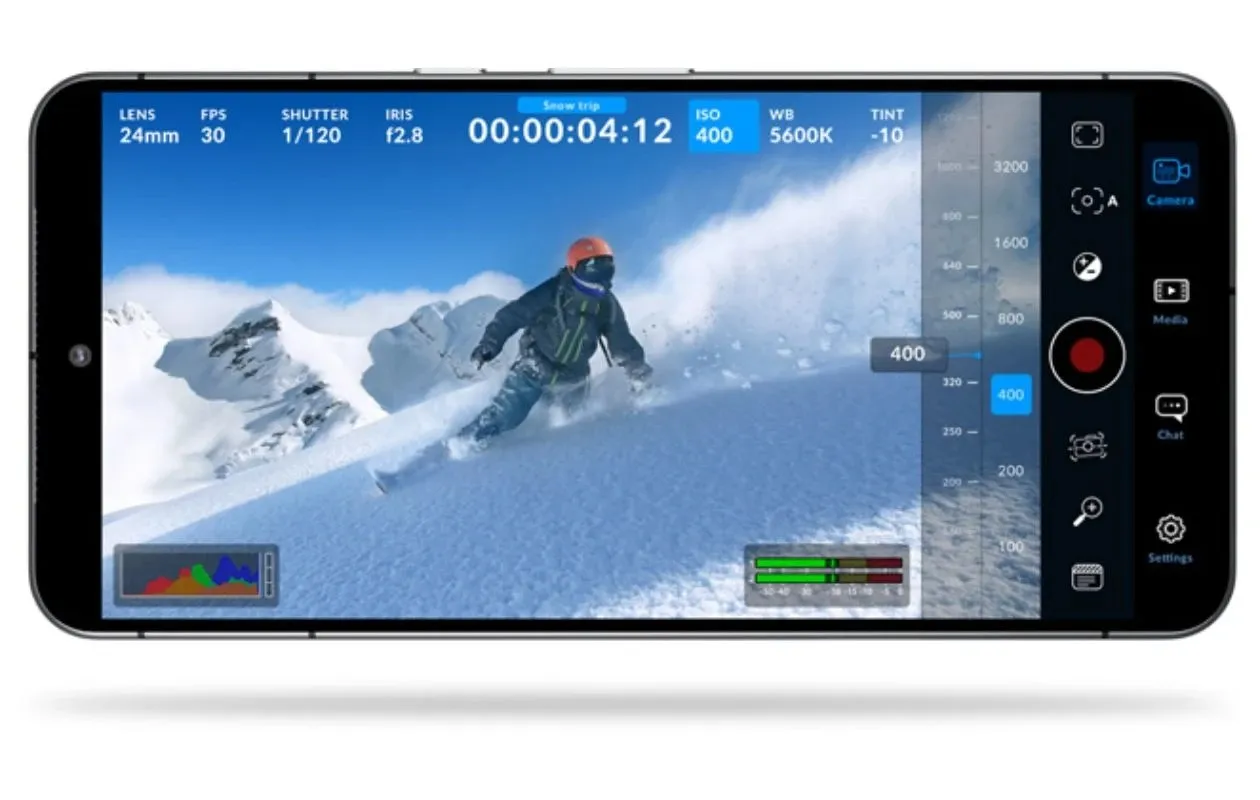
The Blackmagic Camera app combines manual camera controls with professional monitoring tools in a mobile interface.
It is suitable for users who want to record cinematic footage without carrying a dedicated cinema camera for every project.
Control ISO, Shutter Angle and White Balance
Blackmagic Camera allows users to manually adjust ISO according to lighting conditions.
Shutter angle gives more control over motion, while white balance helps maintain accurate color under different light sources.
Frame rate can also be adjusted based on the selected recording format and device capabilities.
Monitor Video with Professional Tools
The interface displays important recording information without forcing users to open multiple menus.
Creators can monitor exposure, focus, audio levels, frame rate, recording time, and other shooting data while capturing footage.
These controls make it easier to identify problems before finishing a shot.
Record Cinematic Footage on Android
Blackmagic Camera is built around professional video rather than simple point-and-shoot recording.
Users can control important image settings and create a more consistent look across different shots.
Available resolutions, lenses, frame rates, and recording options depend on the Android device being used.
For more camera, photo, and video tools, explore the Photography & Editing category.
Why Use the Blackmagic Camera App?
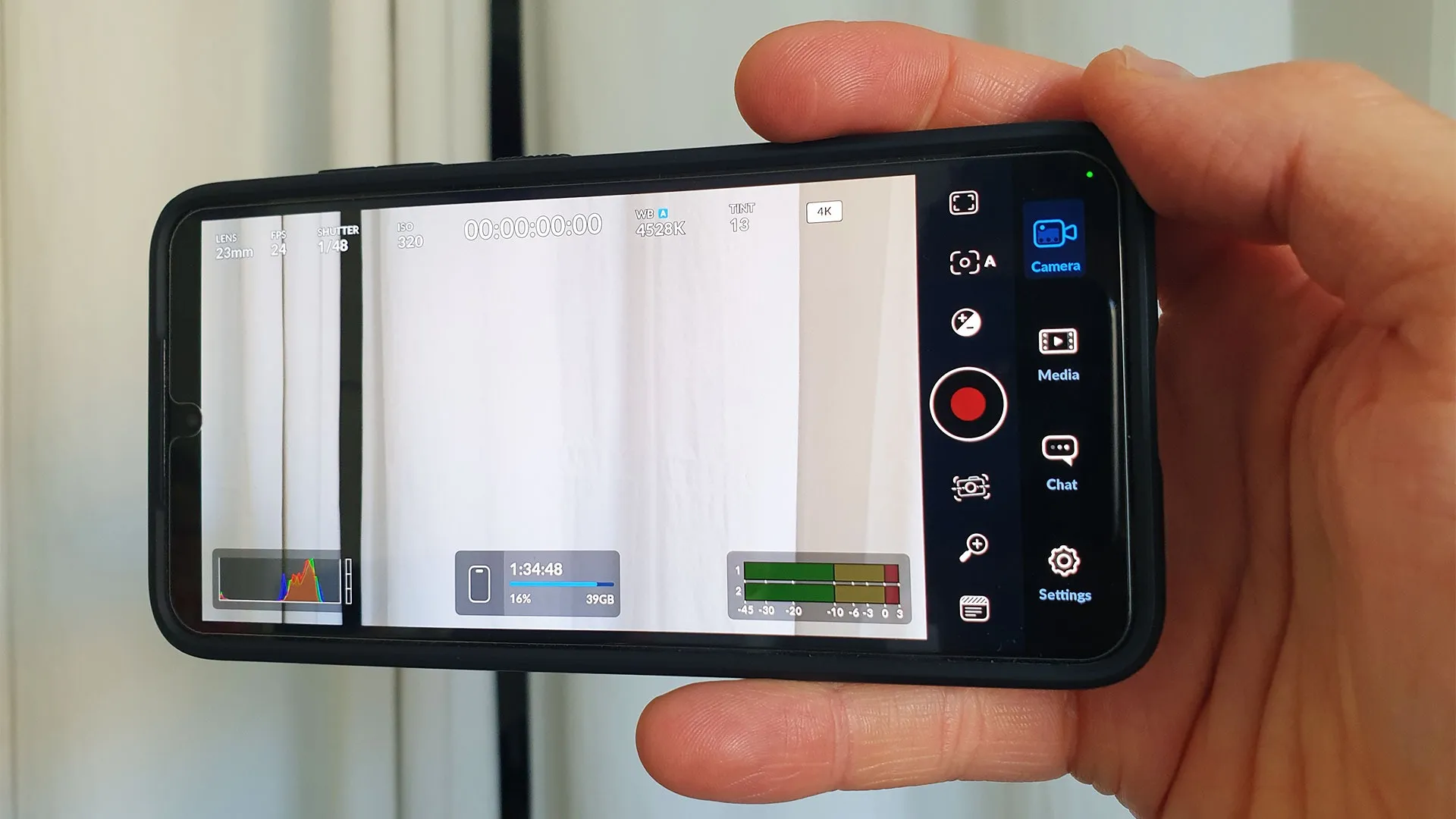
The main advantage of the Blackmagic Camera app is control. Instead of relying heavily on automatic settings, creators can decide how the final footage should look.
Its camera-style interface also makes important parameters easy to reach while recording.
Another useful feature is integration with Blackmagic Cloud and DaVinci Resolve workflows, allowing supported footage to move more easily from production to post-production.
If you want to continue editing after filming, Alight Motion MOD APK is another useful option for creating motion graphics, effects, keyframe animations, and mobile video edits.
Blackmagic Camera App vs Default Android Camera
A default Android camera is convenient for quick everyday recording. Blackmagic Camera focuses more on manual control and professional video production.
| Feature | Blackmagic Camera App | Default Android Camera |
|---|---|---|
| Manual ISO | Advanced control | Device dependent |
| Shutter Angle | Supported | Usually limited |
| White Balance | Manual control | Mostly automatic/basic |
| Frame Rate Control | More flexible | Usually basic |
| Professional Monitoring | Yes | Limited |
| Blackmagic Cloud | Yes | No |
| DaVinci Resolve Workflow | Supported | No |
For casual videos, the default camera may be enough. For filmmaking, controlled lighting, multi-shot projects, or more consistent footage, Blackmagic Camera provides a more specialized workflow.
Download Blackmagic Camera APK for Android
Blackmagic Camera APK is a strong option for creators who want professional video controls directly on Android. Manual exposure settings, monitoring tools, cinematic recording controls, and Blackmagic workflow integration make it more capable than a basic camera app.
Download a compatible version from APKMODY, start filming on your phone, and continue your creative workflow with editing tools such as Alight Motion when needed.
Is the Blackmagic Camera app free?
Blackmagic Camera is offered as a free camera application by Blackmagic Design. Some connected services or production workflows may have separate requirements.
Can Blackmagic Camera record cinematic video?
Yes. The app provides manual controls such as ISO, shutter angle, white balance, and frame rate that help users create more controlled cinematic footage.
Does Blackmagic Camera work on every Android phone?
No. Available cameras, resolutions, frame rates, codecs, and other features can vary depending on the device.